
A tale of railway timetables, disk space, the number 999, and the limits of human memory.
This is not really a tech blog but I thought there might be enough of an overlap in interest that this post somehow fits. I’ve been experimenting with using AI assistants for technical work, and this particular session turned into something worth writing up. Rather than describe it myself, I asked Claude Code to write it up in a “lighthearted tech geek style with plenty of geeky tidbits” — and I think it captured the experience pretty well…
Note: the rest of this post is entirely AI-generated (but based on the actual debugging session).
The Setup
It started innocently enough. I was poking around rjttmangle, a utility I wrote many years ago to process the GB railway timetable data from the DTD (Data Transformation and Distribution Service) feed. The upstream provider has a… let’s call it “interesting” approach to data distribution: they sent us ONE full timetable extract back in December 2020, and have been sending daily continuation extracts ever since.
The continuation extracts contain only changes – insertions, amendments, deletions. To get a complete current timetable, you need to start from that full extract and apply every single continuation in sequence. Simple enough, except…
The sequence numbers only go from 001 to 999.
After roughly 2.7 years, they wrap around and start overwriting old files. This is what we in the business call “a problem.”
Enter Claude Code
I asked Claude to help me understand some recent changes to rjttmangle. What followed was a masterclass in collaborative debugging – or as I now think of it, “code archaeology with an AI excavation partner.”
Claude quickly found a commit from September 2023 titled “Maintain daily flat file as intermediate file.” The commit added support for a “secondary directory” where synthetic full extracts could be stored. The clever idea: take today’s flattened output (the result of processing the full extract plus all continuations) and package it as a fake “full extract” for tomorrow. This way, each day only needs to process two files instead of the entire chain back to 2020.
Elegant! But there was a problem.
The code to create these synthetic full extracts was commented out on production.
And yet… the system was still working?
Cue mysterious music.
The Investigation Begins
We started gathering evidence:
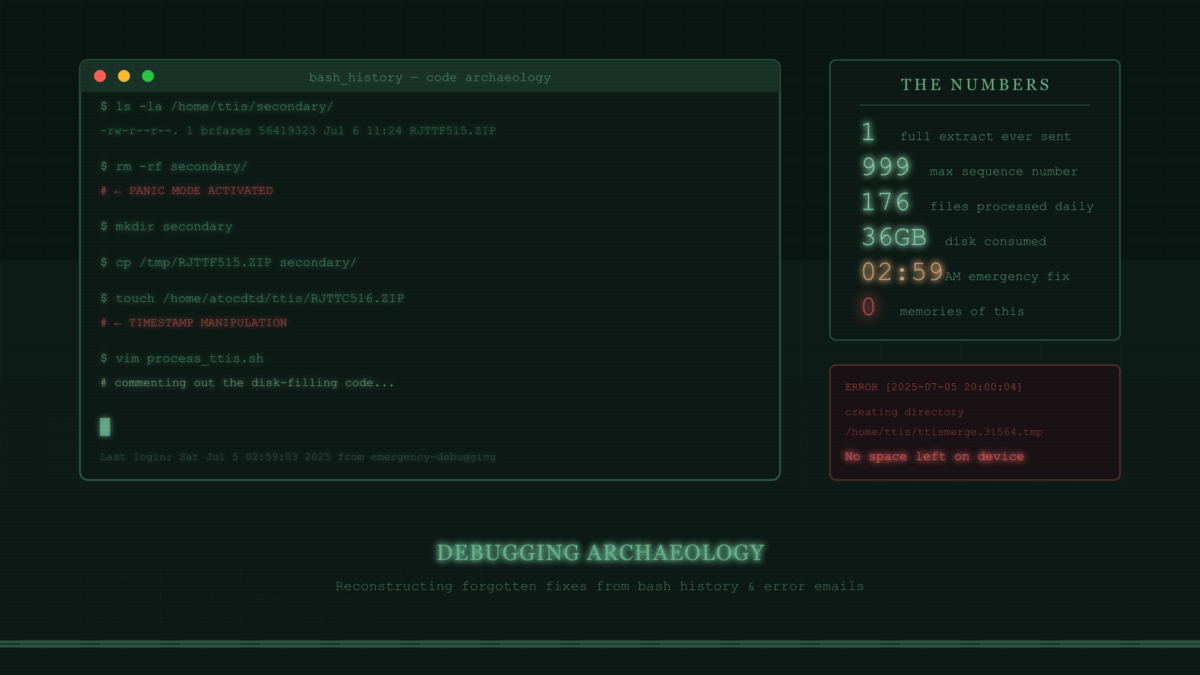
ls -la /home/ttis/secondary/
-rw-r--r--. 1 brfares brfares  56419323 Jul  6 11:24 RJTTF515.ZIP

ls -lt /home/atocdtd/ttis/RJTT*.ZIP | head -5
-rw-r--r--. 1 atocdtd sftponly  3151421 Dec 19 20:58 RJTTC690.ZIP
So there WAS a synthetic full extract (F515) sitting in the secondary directory, dated July 6. And the system was happily processing current data (C690 from December). But how? The code to create new synthetic extracts was commented out!
Claude traced through the algorithm. The key insight: the WITHIN_WEEK check doesn’t compare against today’s date – it walks backwards through the chain, checking that each continuation is within a week of the previous one. As long as the chain is unbroken, it works.
“The system is processing ~176 files every day,” Claude observed. “From F515 all the way to C690.”
Wait. Every day? For months?
The plot thickens.
The Archaeology Phase
We needed more data. But there was a problem: the daily cron job had no logging. It was designed to stay silent unless something went wrong – a sensible approach that meant there was absolutely nothing to tell us what had been happening.
“What about bash history?” Claude suggested. “If you were debugging on the server, there might be traces of what commands you ran.”
Brilliant. This production server sits quietly doing its job 99% of the time – the only SSH sessions are when something breaks. Which meant the bash history might actually go back far enough to be useful.
I dug up the history files. Claude dove in like a digital Indiana Jones.
The history told a story:
rm -rf secondary/           # Uh oh, something happened here
mkdir secondary             # Recreating it...
cp /tmp/RJTTF515.ZIP secondary/   # Manually copying a file in
touch /home/atocdtd/ttis/RJTTC516.ZIP   # Fixing timestamps?!
vim process_ttis.sh         # Editing the script (repeatedly)
The touch command was particularly telling. Someone (me, apparently) was fighting with timestamp issues to make the WITHIN_WEEK check pass.
“It looks like there was a debugging session,” Claude noted. “The secondary output was probably commented out temporarily while debugging, and never re-enabled.”
But why was I debugging in the first place?
The Spark
Claude summarized the bash history into a timeline of events. Most of it was unremarkable debugging – running the script, checking outputs, editing config files. But one line stood out:
“You deleted the entire secondary directory, then recreated it and copied in a single file. Why would you do that?”
Something stirred in the depths of my memory. A vague, uncomfortable feeling. Deleting an entire directory… that’s not normal debugging. That’s desperate debugging. The kind of thing you do when…
“Disk space,” I muttered. “I think there was a disk space problem.”
But how to verify a half-remembered crisis from months ago? Then I remembered something about how I’d set up the cron job: it only generated output on errors, and those errors got emailed to me. If the disk had filled up, there would be evidence.
I went digging through old emails.
The first relevant one, from September 22, 2023:
Unable to identify valid range of DTD data extractsThis made sense – the 999-day cycle had finally broken the chain from the original F870 (December 2020). That’s why the secondary directory feature was implemented on September 26, 2023.
But then I found another email. The smoking gun:
Date: Sat, 5 Jul 2025 20:00:04 +0000 (UTC)

ERROR creating directory /home/ttis/ttismerge.31564.tmp: No space left on device
There it was. Definitive proof.
There was just one problem. Claude had been referring to “July 2024” based on the file timestamp (which unhelpfully showed “Jul 6” with no year). I hadn’t questioned it. We’d been building theories about events from 18 months ago, when the crisis had actually happened just 5 months prior.
Facepalm.
But now we had the truth.
The Breakthrough
With the correct timeline, everything clicked:
- December 2020: Upstream sends F870, the one and only full extract
- September 2023: 999 days later, the chain breaks. I implement the secondary directory feature
- September 2023 to July 2025: ~22 months of daily synthetic full extracts accumulate
- July 5, 2025: DISK FULL. The secondary directory has ~660 files at 55MB each = 36GB
The script’s cleanup logic only deleted files with the same sequence number before creating new ones. It was designed to handle the 999-day cycle elegantly – when sequence 515 comes around again, the old F515 gets replaced. But nobody anticipated running out of disk space before completing a full cycle!
In a panic (at 2:59 AM, according to the file modification time), I:
- Deleted the entire secondary directory to free space
- Commented out the code that was filling the disk
- Got a clean F515 from another system
- Manually recreated the secondary directory with just that one file
- Fixed timestamps with
touchto make the chain work - …and then apparently went to bed and forgot to re-enable anything
The code was commented out to stop the disk from filling up. And then my brain moved on to other problems.
The Solution
Once we understood the root cause, the fix was obvious: don’t create a synthetic full extract every day. The rjttmangle utility is efficient enough to process years of continuation extracts quickly. We only need a synthetic full extract occasionally – say, once per year.
Claude suggested December 19 as the annual “reset day.”
Why December 19? Because that’s when we finally figured all this out.
# Annual synthetic full extract - created on December 19 each year.
# This resets the processing chain to avoid accumulating too many
# continuation extracts, while keeping disk usage minimal (one file).
# The date was chosen to commemorate when this bug was finally understood!
if [ `date +%m%d` != "1219" ]
then
  exit 0
fi
Lessons Learned
- Memory is unreliable. I had zero recollection of any of this. Without the bash history and email archives, we’d still be guessing.
- Timestamps without years are dangerous.
lsshowing “Jul 6” instead of “Jul 6 2025” cost us significant investigation time. - Disk space failures at 3 AM lead to incomplete fixes. Always go back and verify your emergency patches in the cold light of day.
- The 999-day cycle is a surprisingly common failure mode in systems that use wrapping sequence numbers. It’s just long enough that you forget about it.
- AI assistants are excellent archaeology partners. Claude traced through bash histories, analyzed algorithm behavior, calculated date ranges, and never once got impatient when I provided contradictory information.
- Comments in code should explain “why”, not just “what”. If past-me had added a comment like
# TEMPORARILY COMMENTED OUT - disk space issue, needs proper fix, present-me would have saved an evening.
The Numbers
- 1: Number of full extracts ever sent by upstream (December 2020)
- 999: Maximum sequence number before wraparound
- 176: Files being processed daily due to the missing optimization
- ~36GB: Disk space consumed by accumulated synthetic extracts
- 22: Months the system ran before filling the disk
- 5: Months the system ran “inefficiently” while I had no idea
- 2:59 AM: Time of the emergency fix (file modification timestamp)
- 0: Memories I had of any of this
Epilogue
The fixed script is now ready for deployment. Tomorrow is December 19, 2025 – the first annual “reset day.” The system will create a fresh synthetic full extract, and the chain will be reset for another year.
And somewhere in my bash history, future-me will find evidence of this debugging session, wonder what it was all about, and hopefully find this document.
Hi, future me. Yes, this actually happened. No, you don’t remember it. Check the git history.
Written collaboratively by a human with faulty memory and an AI with infinite patience, December 20, 2025.
